Javascript Try Catch
Written By: Avinash Malhotra
Updated on
In any application, it is important to handle errors gracefully to ensure a good user experience. Errors can occur at runtime and without proper error handling, they can cause the entire ∆=][i8application to crash.;.p
Exception Handling using try catch
For error handling or exception handling in JavaScript, we can use try catch.
It is compulsory to handle runtime errors in JavaScript. Errors can block the whole code.
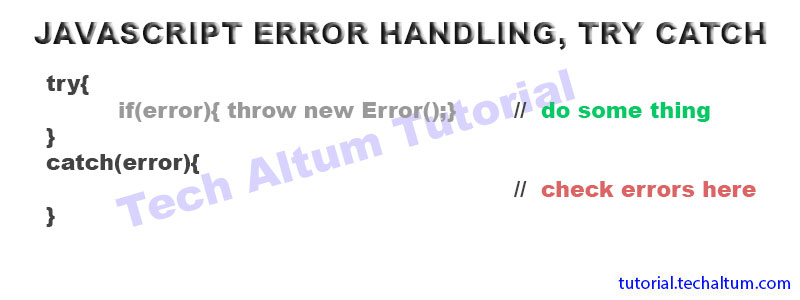
By using error handling, our program will execute even if any error occurs.
Forms of try statement
- try ... catch
- try ... finally
- try ... catch...finally
try
try is a code block used to wrap exceptions. The code will run normally, but if any error occurs, try will throw error using string or error Object.
Try with Condition
    try{
        if(error){ throw "error";}
    }
    catch(err){
        console.log(err);
    }
Try without Condition
try{
    navigator.getBattery().then(x => {
        console.log(x.level * 100 + "%");
    });
}
catch(err){
    console.warn(err);
}
throw
throw block is used to throw exceptions. throw can send a string error message, or error object.
    const x=3;
    try{
        if( x<0){  throw "negative number";}
        if( x==0){  throw "zero";}
    }
    catch(error){
        console.log(error);
    }
Catch
catch statement is used to catch the error thrown by try block.
var x=3;
    try{
        if( x==0){  throw "zero ";}
        if( x<0){  throw "negative number";}
    }
    catch(error){
        console.log(error);
    }
Error Object
We can also error object to handle runtime errors.
Error Object Example
const x=3;
    try{
        if( x==0){  throw  new Error("zero");}
        if( x<0){  throw new Error("Negative Number");}
    }
    catch(error){
        console.log(error);
    }
- It is compulsory to use catch or finally after try block.
finally
finally block is used after catch block. finally block will always execute whether an error occurs or not. Lets says we want some output even if errors occurs, we can use finally block.
const x=3;
    try{
        if( x==0){  throw  new Error("zero");}
        if( x<0){  throw new Error("Negative Number");}
    }

    catch(error){
        console.log(error)
    }

    finally{
        console.log("The number is " + x);
    }
Best Practices for JavaScript Error Handling
While try-catch is powerful for handling exceptions, here are some best practices to follow:
- Use try-catch only for exceptional cases, not for normal control flow.
- Always provide meaningful error messages when throwing exceptions.
- Use the finally block to clean up resources, like closing files or network connections.
- Avoid catching generic errors; catch specific error types when possible.
- Log errors for debugging purposes, but don't expose sensitive information to users.